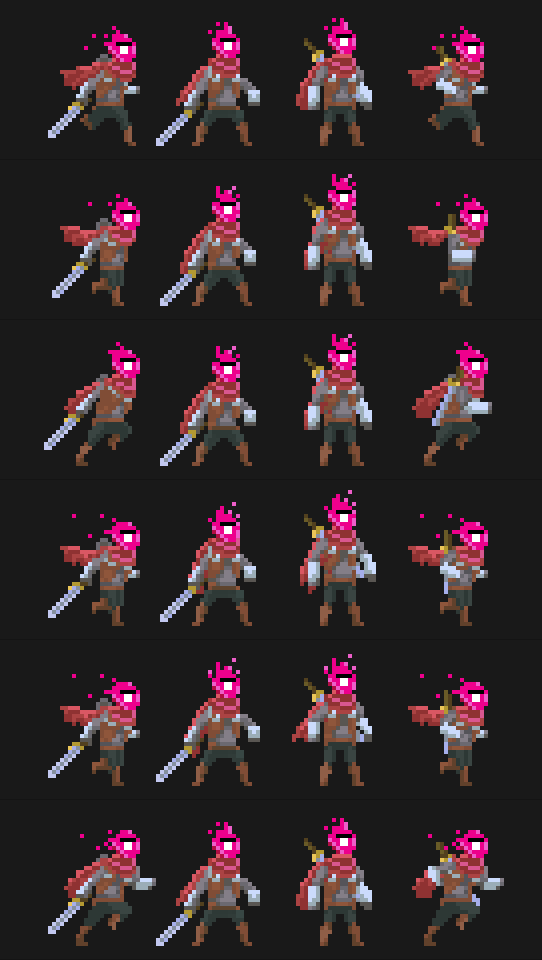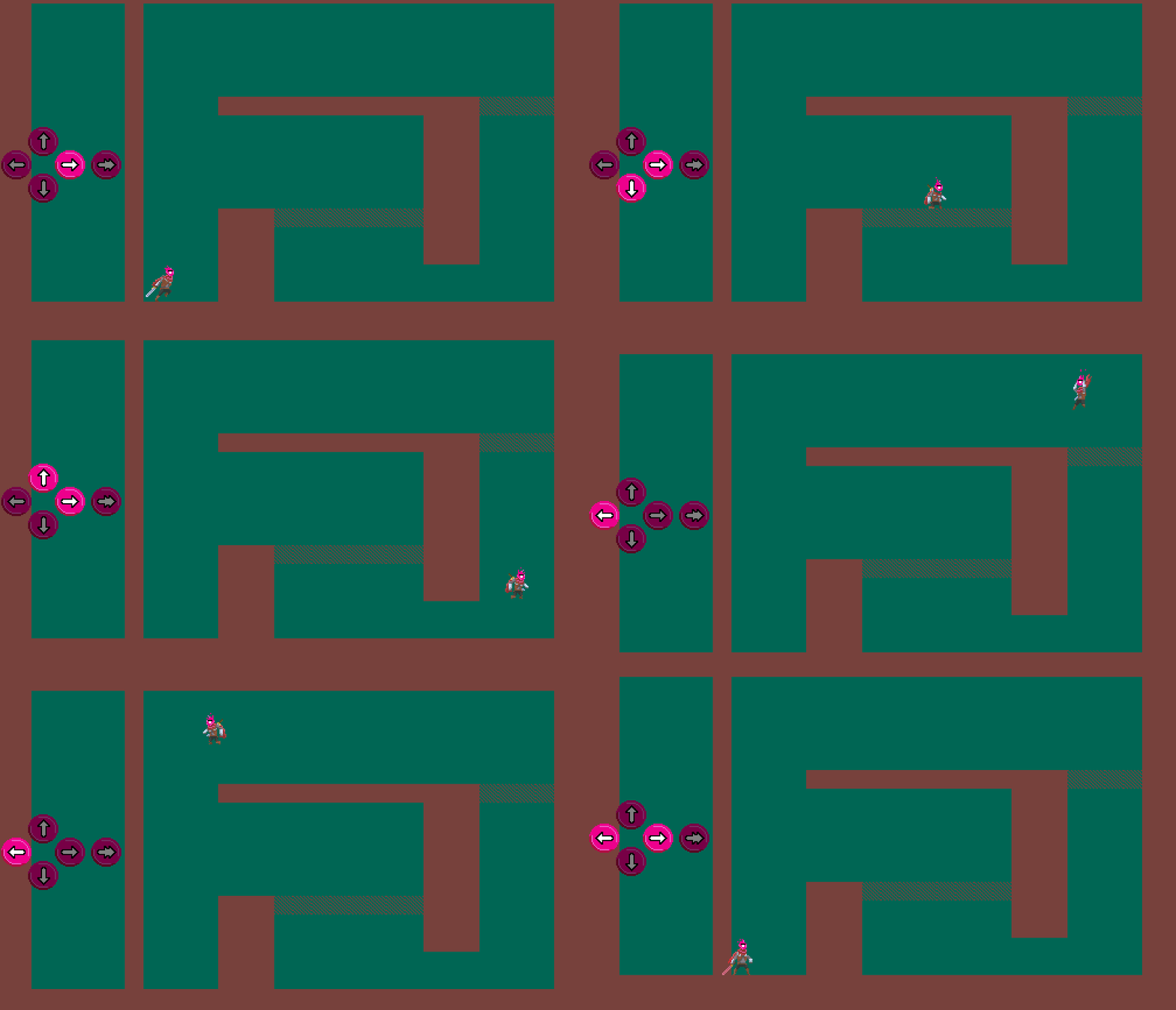
Platformer moves #new tricks

Playing around with the various movements options: double-jump, wall-jump, wall-slide, crouch… Forgoy slide

Retro-Progress-4 – Additional platformer movements

I included five additional movement options: double jump, wall jump, wall slide, crouching, and sliding. This is based on a State Machine system which is a very robust method, especially if you feel like adding new movements later on. I will come back to that later.

The gameplay feels fun. There is a lot of control for movement because the challenge of this game is in fighting not in moving around or reaching platforms. Moving is just a mean to dodge, take cover or prepare your next attack. In this sense, I already gave the jump a lot of controls: 1-The horizontal air movement mimics the ground movement so that the player feels jumping and running follow the same rules and 2-jump has huge variability, so that player can stop any jump immediately. This second item is still a headacke for me, as I sometime feel getting rid of the variable jump would just give better feeling, as the player can press jump once and move to the next action without having to bother keeping the jump button pressed.

I kept the same phylosophy for the movements I added. I made wall-jump so simple you can hardly failed it. Ground slide is always the same length so that you always know where the character will land (and again you do not need to bother keeping button pressed. I included coyote time (you know this small time frame that allows you to jump from a platform even if you have already fallen from it) and buffered input of course, in case you hit jump a few frames too early. There are no preload frames / preparation in action, so that the character reacts immediately.
Platformer moves #jumping

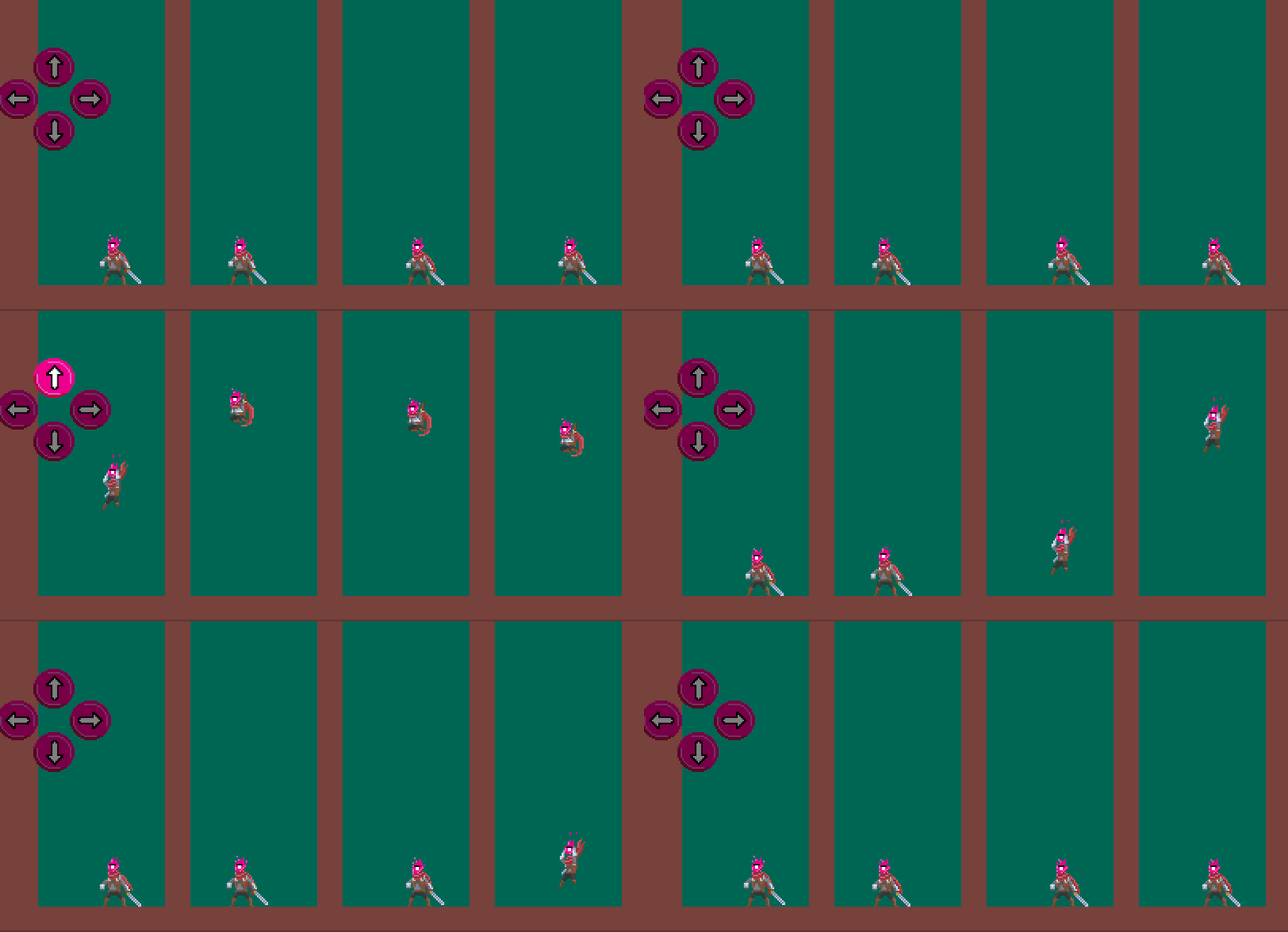
Various acceleration, friction, gravity tests. The two in the center reach the same height: one is based on higher jump acceleration, the other one is based on lower friction. The fourth one shows how gravity impacts the fall.

Retro-Progress-3 – A platformer sprite would not go far without variable jump

This is how I did variable jump for my #deadclones game. Vertical movement is a y++ loop that breaks on collision.

Again something I have learnt first from Heartbeast, Shaun and Zach.

My code is a bit heavy as I wanted to have fine controls on the jump parameters so that I would be able to tweak everything later on. For instance, bouncing coefficients are different for the ceiling, the floor, the wall and what happens on collision is managed outside the movement code so that it can be specific to each object. While ascending, I used additive acceleration and friction coefficient because I wanted the jump to mimic the run mechanism with a friction coefficient (gravity is only applied after max jump is reached).

Anyhow, I would strongly advise anyone unsure about it to have some specific separated collision and movement scripts. This allows to manage all moving items (projectiles, pickup, player, enemeis…) with a consistent framework and anytime you want to update how collision behave you just have to tweak one script for it to be taken into account everywhere in your game.

On platformer movements, let me just point you out to:

https://shaunspalding.co.uk/
https://www.heartgamedev.com/
https://zackbellgames.com/tag/game-maker/

Sharing is how great games are made

Platformer moves #running

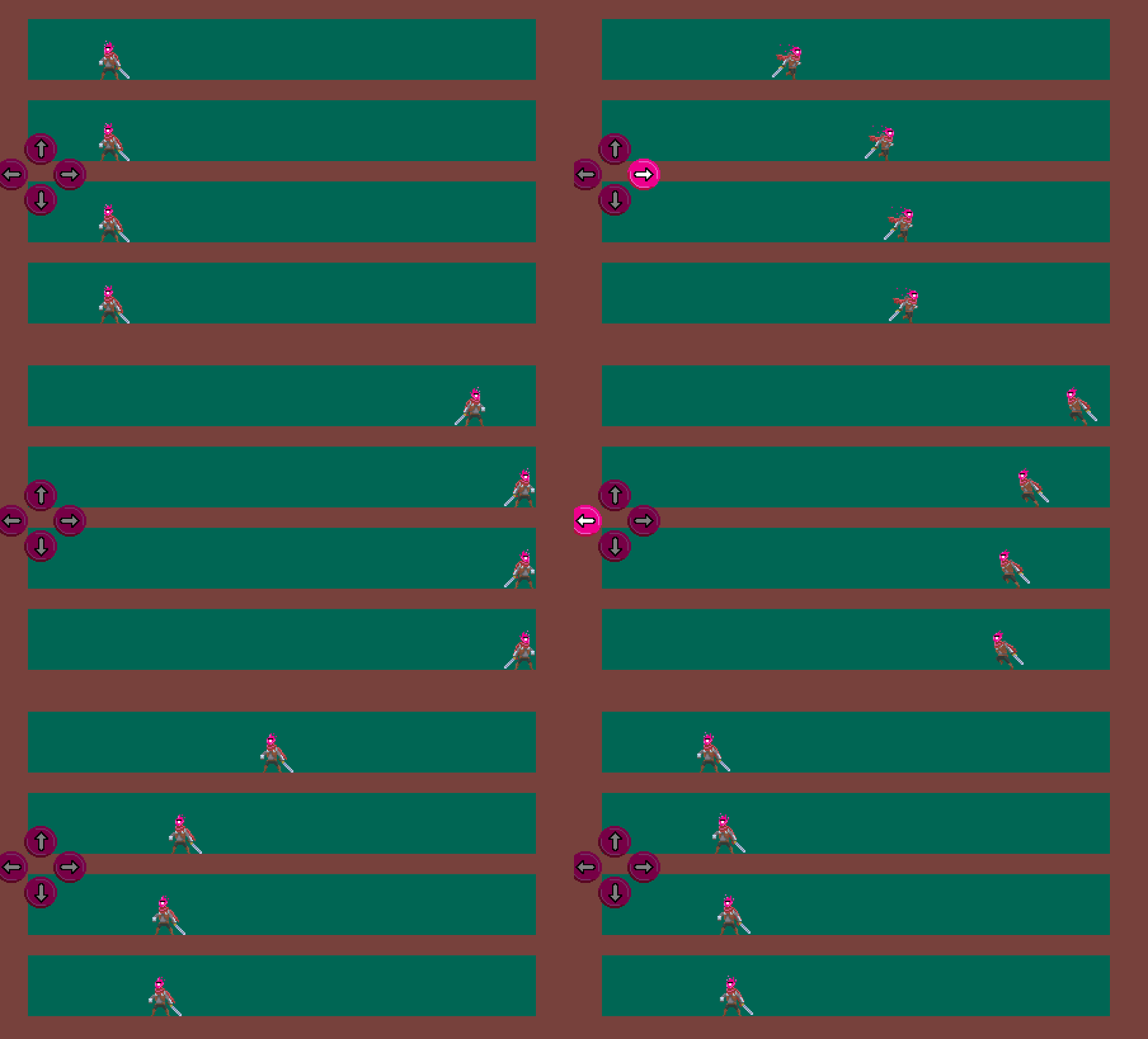
Various acceleration and friction tests

Retro-Progress-2 – Horizontal movement

We all started there… I guess. Horizontal movement.

This is a simple x++ loop that breaks on collision. I like to use additive acceleration and multiplicative friction coefficient… because that’s how it works in real life. Substractive friction works also and might be easier to design.

When I have discovered GMS1.4, I discovered Heartbeast, Shaun and Zach. I got the platformer movement logic (and many more) from their great tutorials. They have shared and share so much valuable tips, lessons and codes for me.

You can find them easily, just for proper credits here are some places:
https://shaunspalding.co.uk/
https://www.heartgamedev.com/
https://zackbellgames.com/tag/game-maker/

The indie dev world is just so great. The Game Maker familly brought me invaluable help during my journey and I can see the same goes for other communities. Sharing is how great games are made

First you need a sprite…

This adventurer again ?

Retro-Progress-1 – First you need a sprite

I read somewhere to “never use placeholder arts in your game”… for a proper promotion of your project I guess… So after a ride on Itch, I found this great adventurer sprite… I just had to take care of his head…

This little guy with his red cape is everywhere in prototypes, in tutorials, in commercial games.. he has a lot in his plate… poor thing. Anyway, a big thank you to the artist : rvros. I really like the color choice. I would love to draw like that. Working on it

The sprite can be found here : https://rvros.itch.io/animated-pixel-hero. It is well animated and offers many animations. There are so many frames available, that I was easily able to create my own moves.

It is also part of what I am trying to show with this project: how generous the community is.

What is this dev log about ?

do I look familiar ?

I have been developing my first game, Dead Clones (more on the name later), for height months now. I am a solo – hobbyist – newbee game developer and I want to share my story in case it can help anyone out there


Retro-Game-Development-Log

So yeah, I have been making this game for 8 months using Game Maker Studio 2, as a hobby, during nights and weekends. Given the fact that I have very limited amount of free time, I have tried to stay focused on priorities, so I have been building the game and I have almost not shown anything so far. Still, having started from the ground, I feel I have learnt a lot during the process and want to share. I know my little journey will not help the experienced programmers and designers but it may bring some value for beginners to intermediate game developers. 

My plan for the coming months is to go back in time to simply describe the steps I went through, explain how I have achieved those and share the useful resources I found on the web. At the end of the day, I am by no point an expert in programming, nor designing, nor drawing, so I will not give tutorials and I let this to the great folks that are doing this so well. This will be the opportunity for me to credit the great individuals who share and thank them for what they bring to the community. I owe them a lot. I also have no clue how to promote a game – to be honest this log is one of my attempt to do it. So I will not say much on this topic. (and…you have noticed: I am not english-native.)

In a nutshell, this is the story of a guy trying to finalize a game. I hope it can help someone out there. Why not… unless you think this is weird to go back in time to start my story from zero?

Design a site like this with WordPress.com
Get started